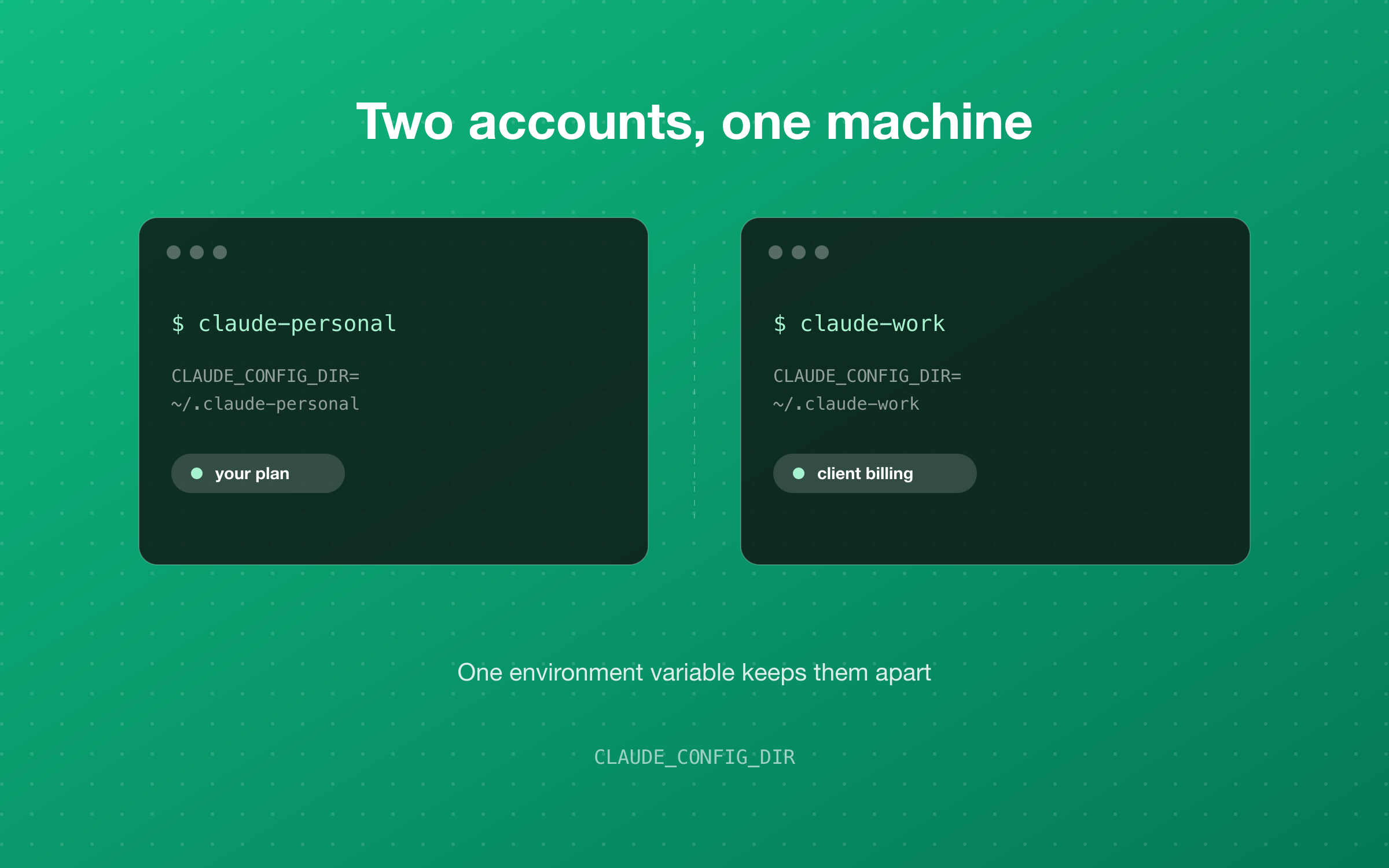
Agency work means holding more than one Claude account — a personal plan, a company one, sometimes a client's. Claude Code expects one at a time, but a single environment variable keeps them side by side on the same machine, with separate logins, separate limits and separate history. Here is the full setup, what it costs you, and the failure modes that only show up later.
- CLAUDE_CONFIG_DIR points Claude Code at a different config directory — that is the whole mechanism
- One directory per account: its own login, its own history, its own MCP servers
- Shell aliases to switch by hand; direnv to switch automatically when you cd into a client repo
- Nothing is shared between accounts, so shared configuration belongs in the repository, not the account
- Every failure mode here is silent — /status before billable work is the habit that catches them
Why this comes up
If you build software for other people, you end up holding more than one Claude account. A personal subscription you have had for a while. A company account with the team's billing attached. Sometimes a client's own account, provisioned inside their workspace, because their code is not supposed to touch anything else.
Claude Code assumes one account at a time. Logging out and back in works, and for a while that is what everyone does. The problem is not that it is hard — it is that it is just annoying enough to skip. You are already in a terminal, the session is already open, the work is small. So you do it on whichever account happens to be signed in, and three things quietly go wrong.
- Billing. Client work lands on your personal plan because that is the one that was open. Nobody notices for a month.
- Usage limits. Two accounts have two limits. One account has one — and a heavy afternoon on a side project becomes an afternoon you cannot spend on billable work.
- History and project state. Transcripts, approved tools and connected servers accumulate inside whichever account was active. Keeping a client's work inside the client's account is the cleaner answer for both of you, and it is much easier than separating it afterwards.
The setup below takes about ten minutes once. After that the decision makes itself.
The one idea behind it
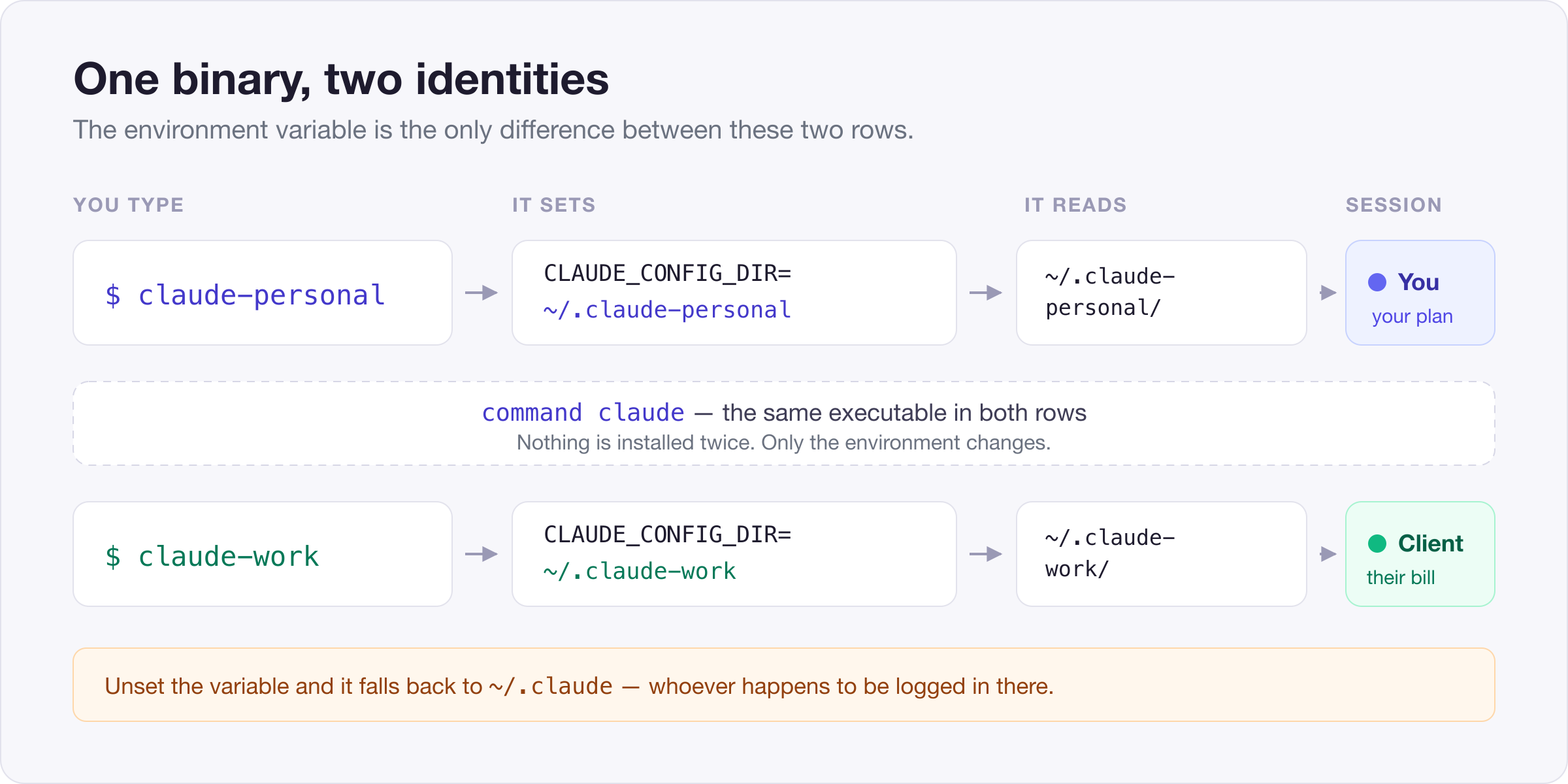
Claude Code keeps everything it knows — your login, your settings, your session history — inside a single configuration directory. By default that is ~/.claude. The CLAUDE_CONFIG_DIR environment variable moves it.
That is the entire mechanism. Point CLAUDE_CONFIG_DIR at a different directory and you get what is effectively a fresh install: no login, no history, no settings. Sign in there, and one binary answers to two identities depending on how you launched it.
One caveat before you build habits on top of it: CLAUDE_CONFIG_DIR does not appear in the published settings reference. It works, and it has worked for a long time, but treat it as a convention rather than a contract — worth re-checking after a major upgrade.
What is actually in a config directory
It is worth looking inside one, because the contents explain both why the separation works and what it costs you.
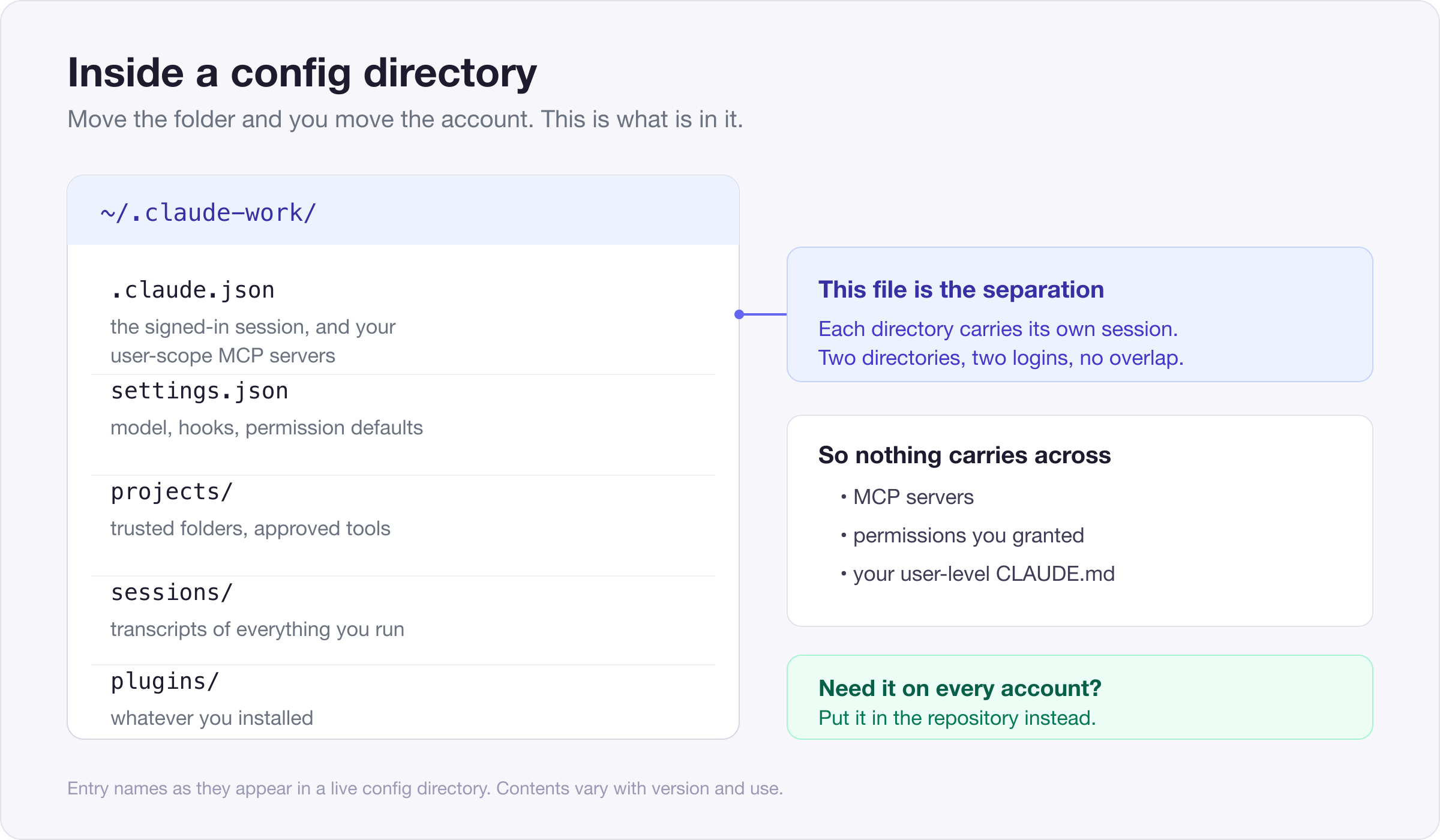
The important file is .claude.json. It holds the signed-in session, along with any MCP servers you added at user scope. Two config directories means two of these, and neither knows the other exists. That is what makes the separation real rather than cosmetic — you are not switching a label, you are switching the credential store.
Everything else in the directory follows the same rule. settings.json holds your model choice, hooks and permission defaults. projects/ holds per-project state — the folders you have trusted, the tools you have already approved. sessions/ and history.jsonl hold the transcripts. plugins/ holds whatever you have installed.
So nothing carries across. Connect an MCP server on one account and it is absent on the other. Grant a permission and it does not follow. Your user-level CLAUDE.md does not either. That is the point — but it means each new account starts empty, and it is the part people are least prepared for. We come back to it below, because there is a clean way out.
The setup
1. Give each account a directory.
mkdir -p ~/.claude-personal ~/.claude-workNames matter more than they look. In six months ~/.claude-2 will mean nothing to you; ~/.claude-acme will.
If you already use Claude Code, leave your existing ~/.claude exactly where it is and let it stay the default account. Moving it is possible but there is no reason to take the risk — create new directories for the additional accounts instead, and the one you already have keeps working untouched.
2. Add one alias per account.
In ~/.zshrc (or ~/.bashrc on Linux):
alias claude-personal='CLAUDE_CONFIG_DIR="$HOME/.claude-personal" command claude'
alias claude-work='CLAUDE_CONFIG_DIR="$HOME/.claude-work" command claude'
Then source ~/.zshrc.
The command in there is doing real work. It resolves claude through your PATH at the moment you run it, rather than baking in a path that was correct the day you wrote the alias — which matters a lot if Claude Code was installed through a version manager. It also stops the alias from calling itself if you decide to alias the bare claude command too.
On Windows, the same idea in your PowerShell profile, written so the variable does not leak into the rest of your session:
function claude-work {
  $old = $env:CLAUDE_CONFIG_DIR
  $env:CLAUDE_CONFIG_DIR = "$HOME\.claude-work"
  try { claude @args } finally { $env:CLAUDE_CONFIG_DIR = $old }
}
3. Decide what plain claude should do.
Two reasonable answers. Leave it alone, so claude stays your personal account and the alias is only needed for work. Or make it refuse to run:
alias claude='echo "Use claude-personal or claude-work"'The second is worth it if you bill clients. A prompt that stops you is cheaper than an afternoon charged to the wrong account. It is also mildly irritating, which is the point — the irritation is what stops the habit forming.
4. Sign in to each one.
Start claude-work, run /login, complete it in the browser, quit. Repeat for claude-personal. Each directory stores its own session, so this is a one-time cost per account rather than something you repeat when switching.
5. Confirm it took.
Run /status inside each one. It reports the account in use. Do it once now, while you still remember what you expect to see.
Knowing which account you are in
This is the part that actually decides whether the setup holds up, because every failure here is silent. Nothing errors. The work just happens on the wrong account.
Two habits are enough. The first is /status before anything you will invoice — it takes two seconds and it is the only authoritative answer.
The second is making the current account visible from outside Claude Code, so you can check without starting a session:
claude-who() { echo "${CLAUDE_CONFIG_DIR:-$HOME/.claude}"; }Trivial, but the fallback is the useful half: it prints the default when the variable is unset, which is exactly the case you want to catch.
Making it automatic
Aliases still depend on you remembering which one to type, and the moment you are moving quickly is precisely the moment you will not.
direnv removes the decision. Put an .envrc at the root of a client repository:
export CLAUDE_CONFIG_DIR="$HOME/.claude-acme"Run direnv allow once. From then on, cd-ing into that project selects the right account, and leaving it puts you back to your default.
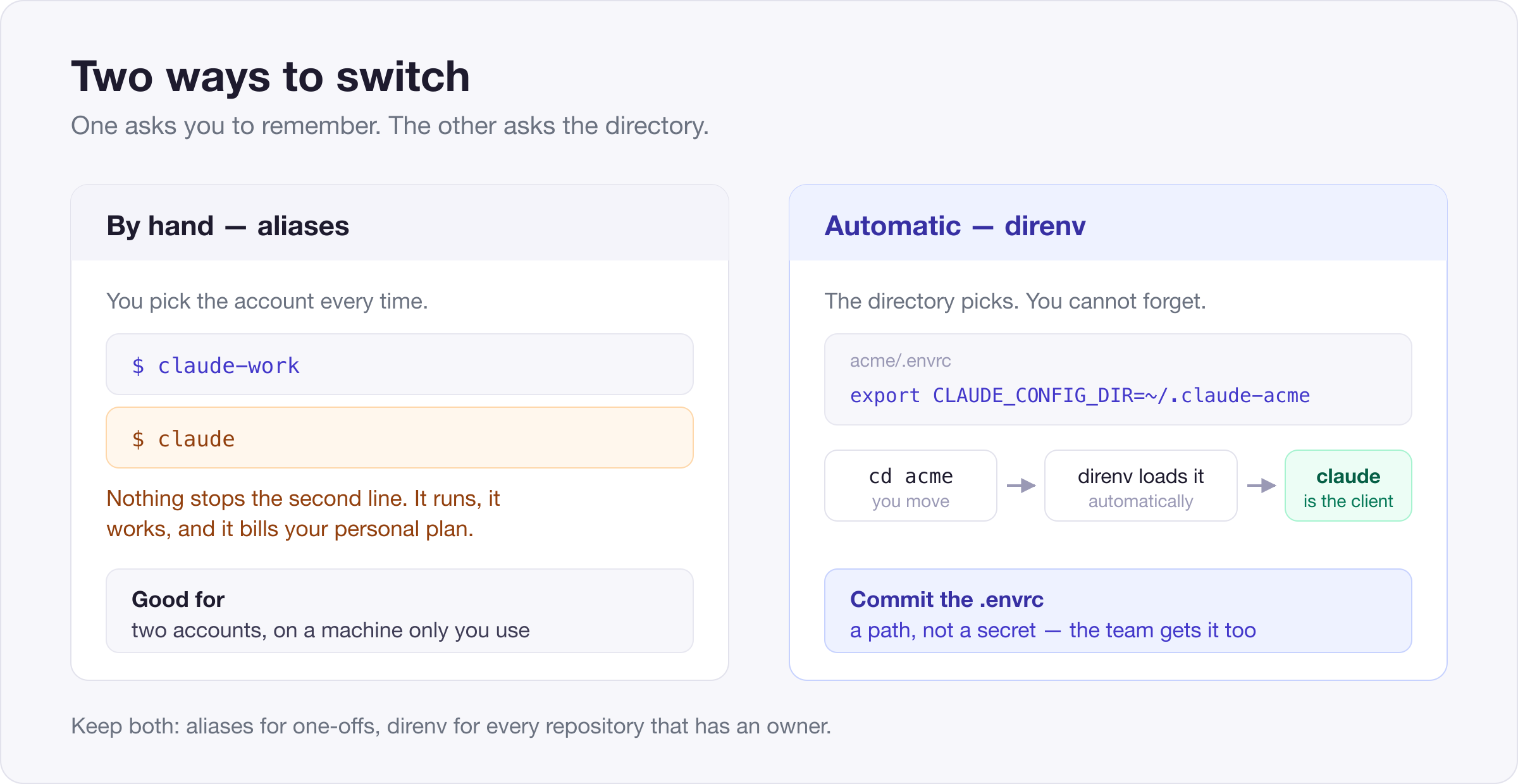
The nice property is that a plain claude becomes correct everywhere. You stop switching accounts and start just working in directories, which is what you were doing anyway.
The file holds a path, not a secret, so committing it to the client's repository is usually right: everyone on the project gets the correct account by default, instead of being told about it in an onboarding document nobody reads twice. It also documents the arrangement — six months later, the repository itself says which account it belongs to.
Two things to know. direnv only applies in shells it manages, so an editor's integrated terminal may need it enabled separately. And direnv allow is per-machine and deliberate — a fresh clone will prompt rather than silently exporting variables from a file someone else wrote, which is the behaviour you want.
Where configuration belongs
Once nothing is shared, every piece of setup needs a home, and there are only two options.
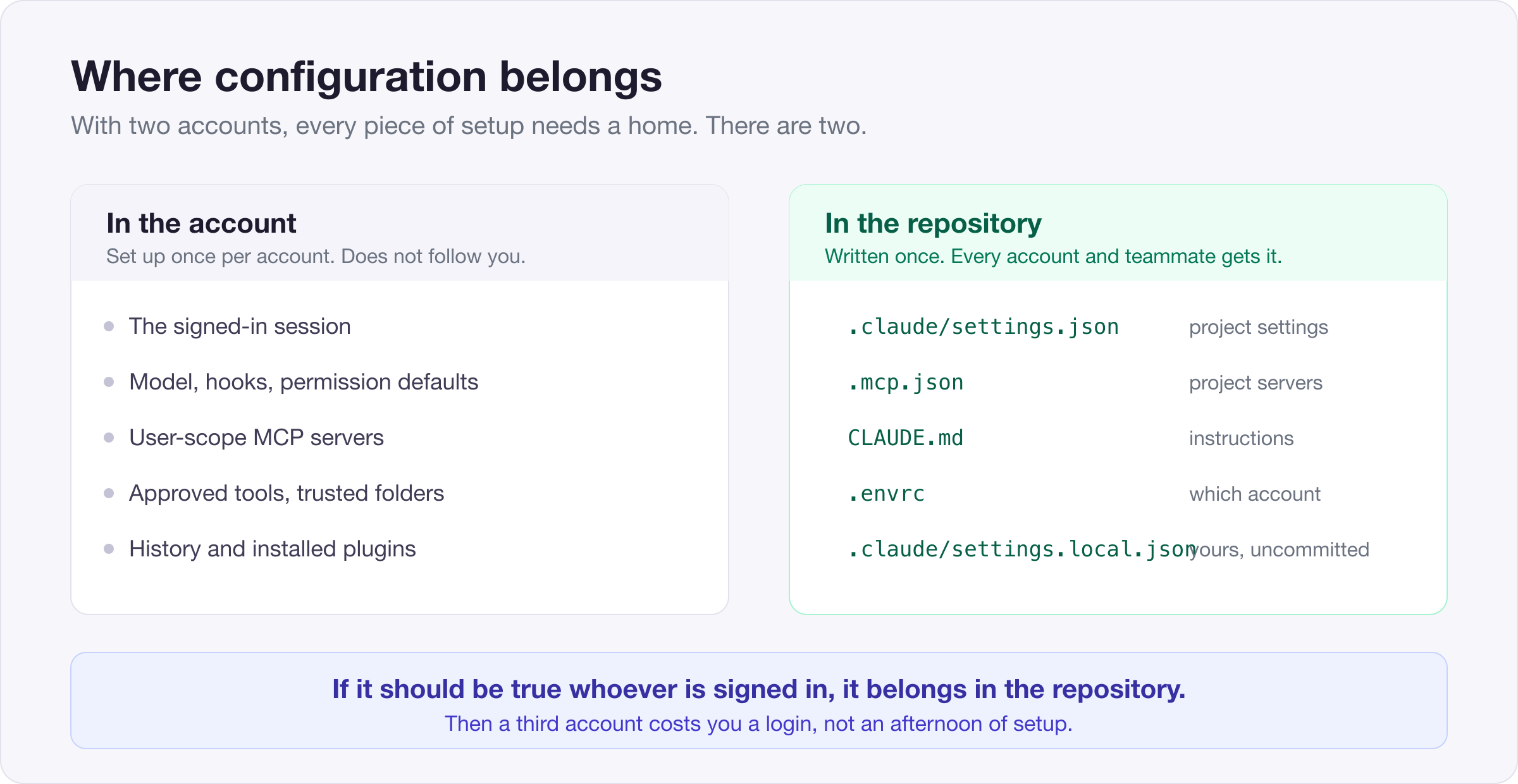
The rule that keeps this manageable: if it should be true no matter who is signed in, it belongs in the repository. Project settings in .claude/settings.json, project servers in .mcp.json, project instructions in CLAUDE.md, the account choice in .envrc. All committed, all picked up by every account and every teammate automatically.
What is left in the account is genuinely personal — your model preference, your own hooks, your history. That is a short list, and re-creating it on a new account takes minutes rather than an afternoon.
Get this split right and adding a third account stops being a project. Get it wrong and every new account is a fresh afternoon of setup, which is the real reason people abandon this arrangement after a month.
Where it goes wrong
The binary moves. If Claude Code was installed through a version manager, upgrading the runtime changes the path. An alias with a hard-coded path breaks with command not found; command claude does not, because it resolves the path each time.
/status says something you did not expect. Check whether ANTHROPIC_API_KEY is exported in that shell. Authenticating with an API key is a different path from signing in to a subscription, and a stray export in a dotfile will quietly take over. It is the most common reason a config directory looks like the wrong account.
You expect your setup to follow you. It does not. New account, new MCP servers, new approvals. Plan for it rather than being surprised — and push whatever you can down into the repository, per the section above.
The tilde does not expand. CLAUDE_CONFIG_DIR=~/.claude-work works in most shells but not in every context that reads it. "$HOME/.claude-work" always does. Use the second and stop thinking about it.
Three accounts is a different problem from two. Two you can hold in your head. At three or four, aliases stop being reliable and direnv should be doing all the choosing. If you find yourself checking /status more than occasionally, that is the signal.
Backups quietly double. Each config directory accumulates its own transcripts and caches. Not a problem, but if you back up your home directory, you are now backing up several of these — worth knowing before you wonder where the space went.
When not to bother
If you have one account, none of this earns its keep — you are adding indirection to solve a problem you do not have.
If you are on a shared or managed machine, check the policy before creating credential stores in new locations; a managed setup may deliberately pin the configuration directory, and working around that is not your call to make.
And if what you actually need is for two people to use one machine, this is the wrong tool. Separate OS user accounts do that properly, with the filesystem enforcing the boundary instead of an environment variable.
Credit
The alias approach here comes from Buwaneka Sumanasekara's write-up on running multiple Claude Code accounts, which is the clearest short explanation of the core idea we have found. What we have added is the part we needed in practice: automatic per-project switching, an honest look at what the config directory actually holds, where configuration should live once nothing is shared, and the failure modes that only show up once more than one person is relying on the setup.
Get it by email
New posts, straight to your inbox
One email when we publish — how our workflows are built, what self-hosting really takes, and the honest answers. No drip sequences, no selling your address.
Double opt-in — we send one confirmation email and nothing else until you click it. Unsubscribe from any issue in one click.